 Rothify
Show your clients where every dollar ends up.
Rothify runs a client's Roth conversion through thousands of paths, keeps the best, and turns it into a report they can follow: what they keep, what their heirs receive and what goes to the IRS.
- Your heirs after their tax
- $3,739,005$5,775,172
- You after-tax income
- $2,968,127$2,968,127
- The IRS taxes, IRMAA, heir tax
- $1,113,687$277,877
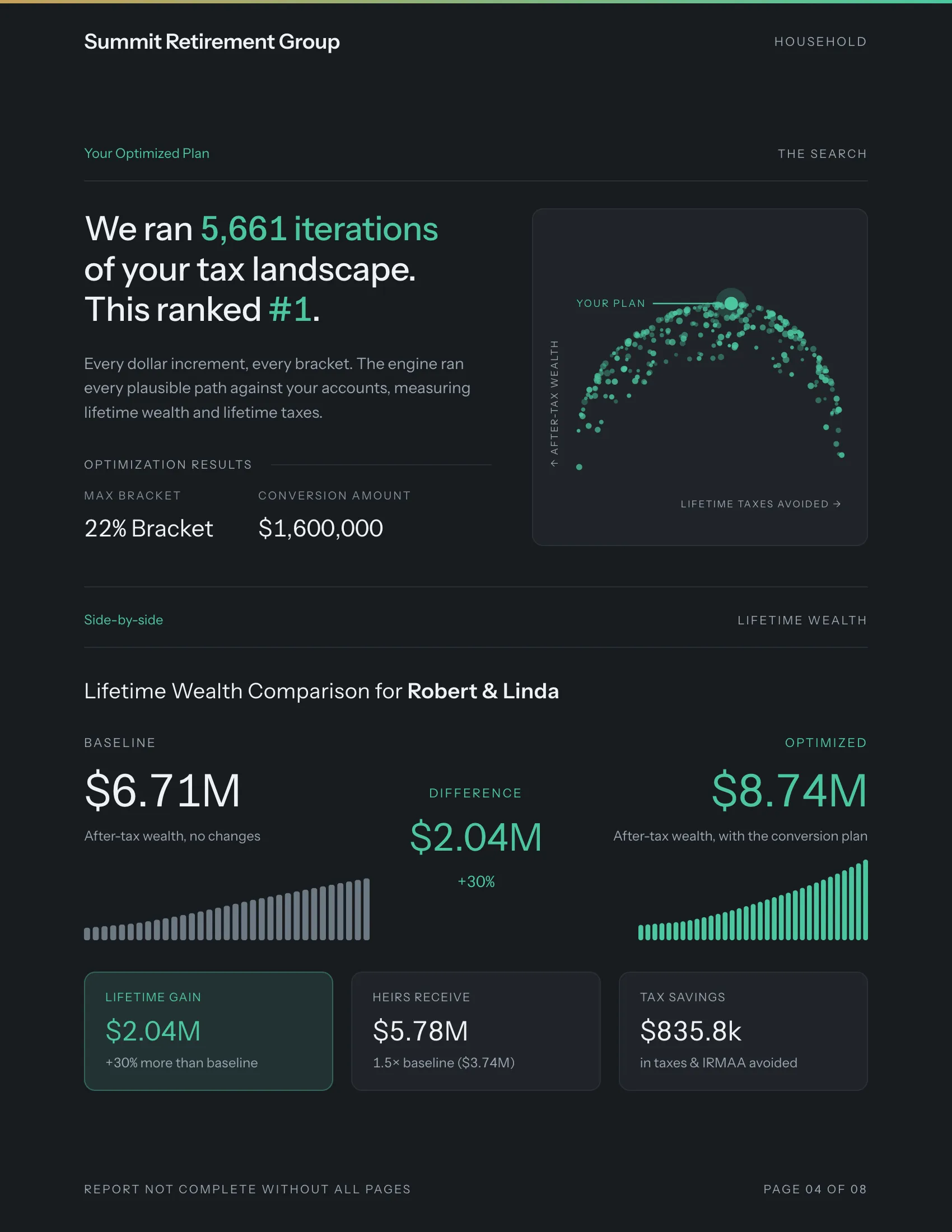
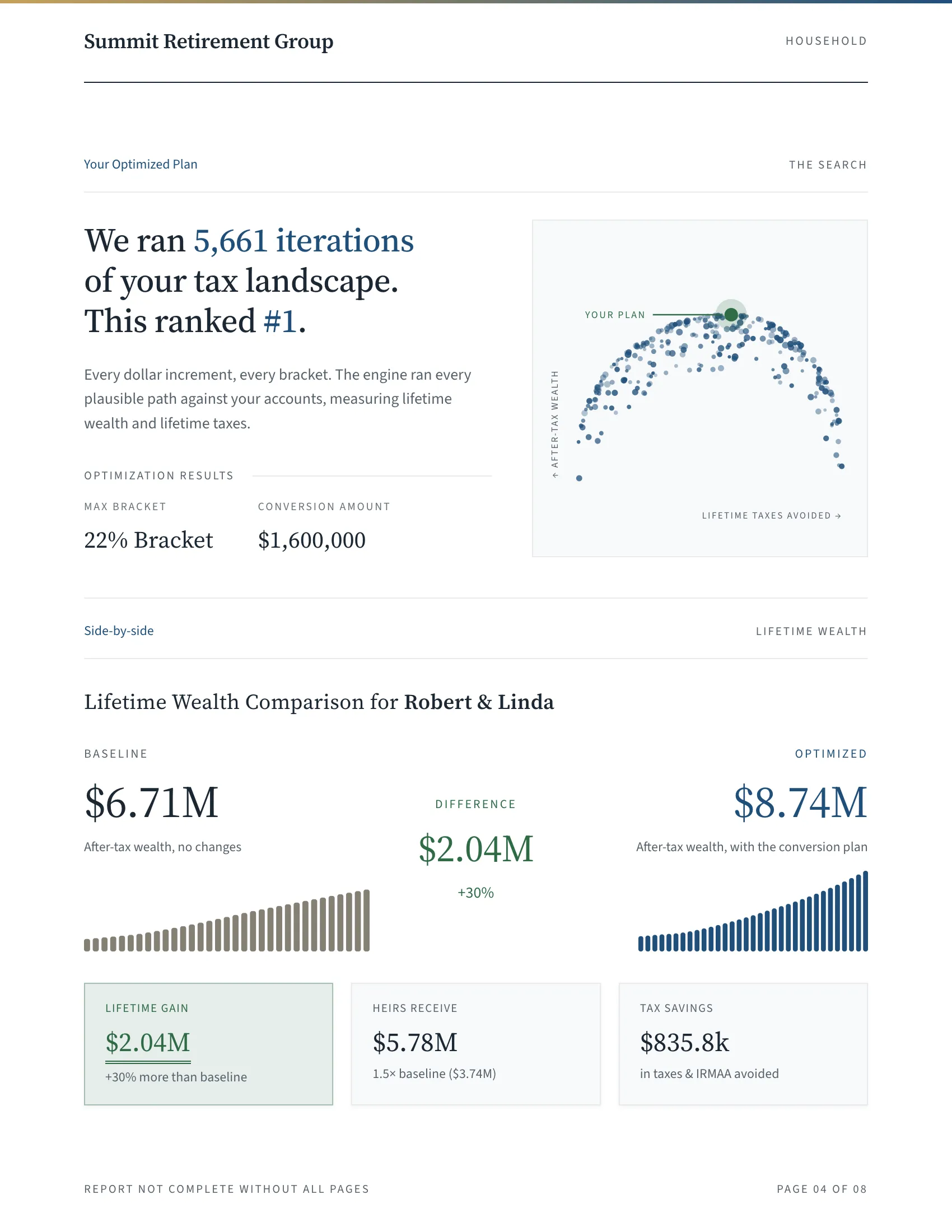
With the plan, $2,036,167 more goes to their heirs and $835,810 less to the IRS. What they live on doesn't change.
The report your client takes home
Eight US Letter pages, numbered, in your firm's colors. Walk through them in presentation mode, send the PDF, or export every figure to Excel.
Cover
Your logo, the household, the date
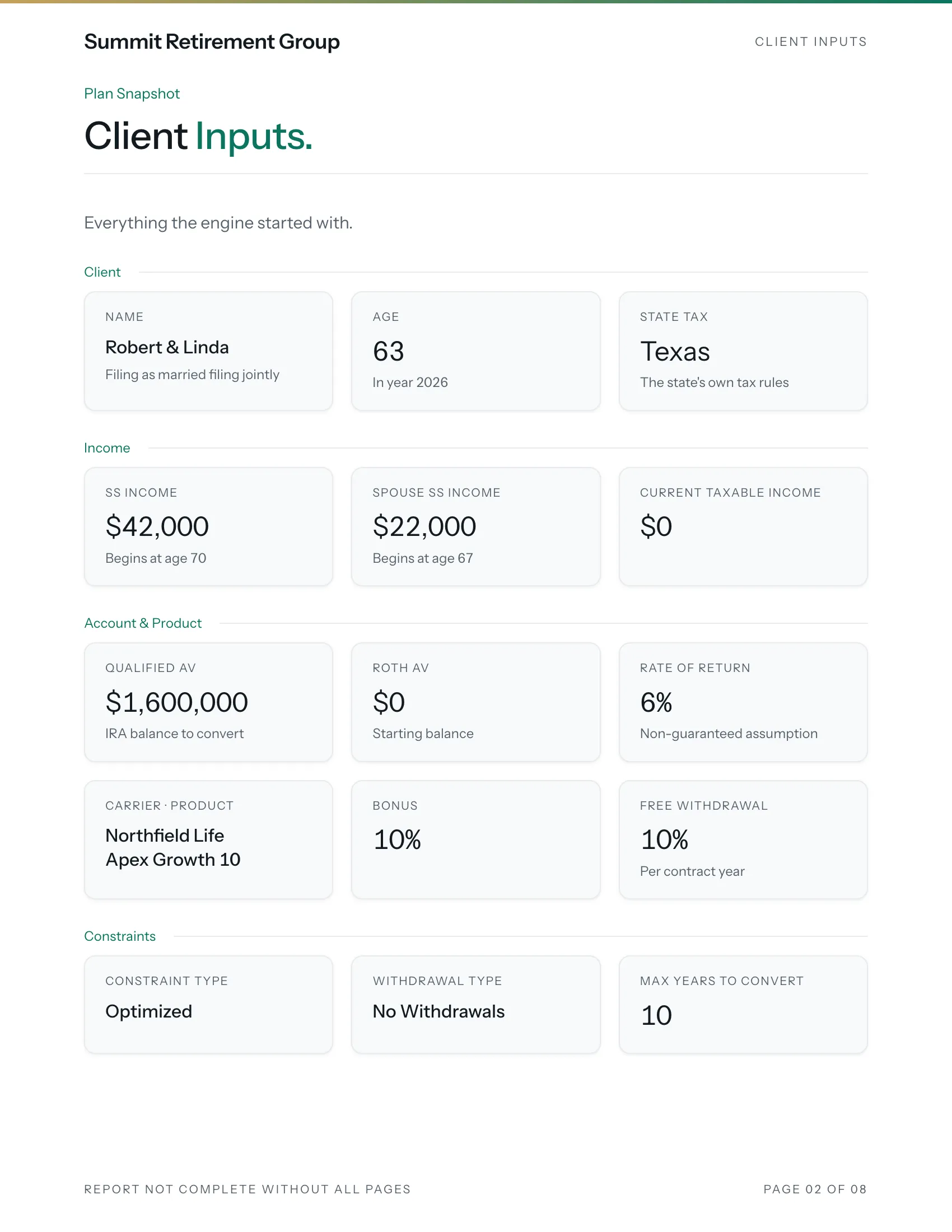
Client inputs
Everything the plan was built on
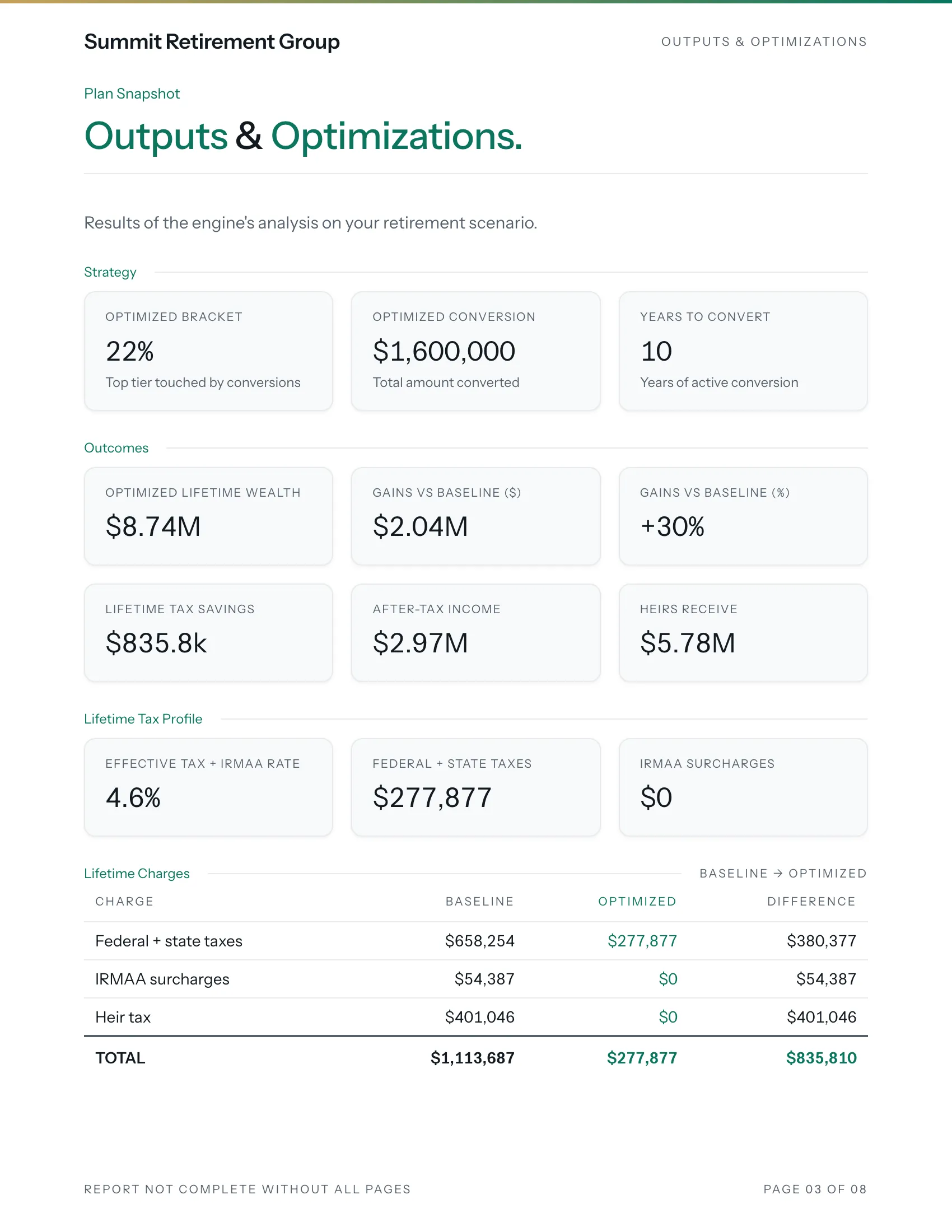
Outputs
The conversion and what it does
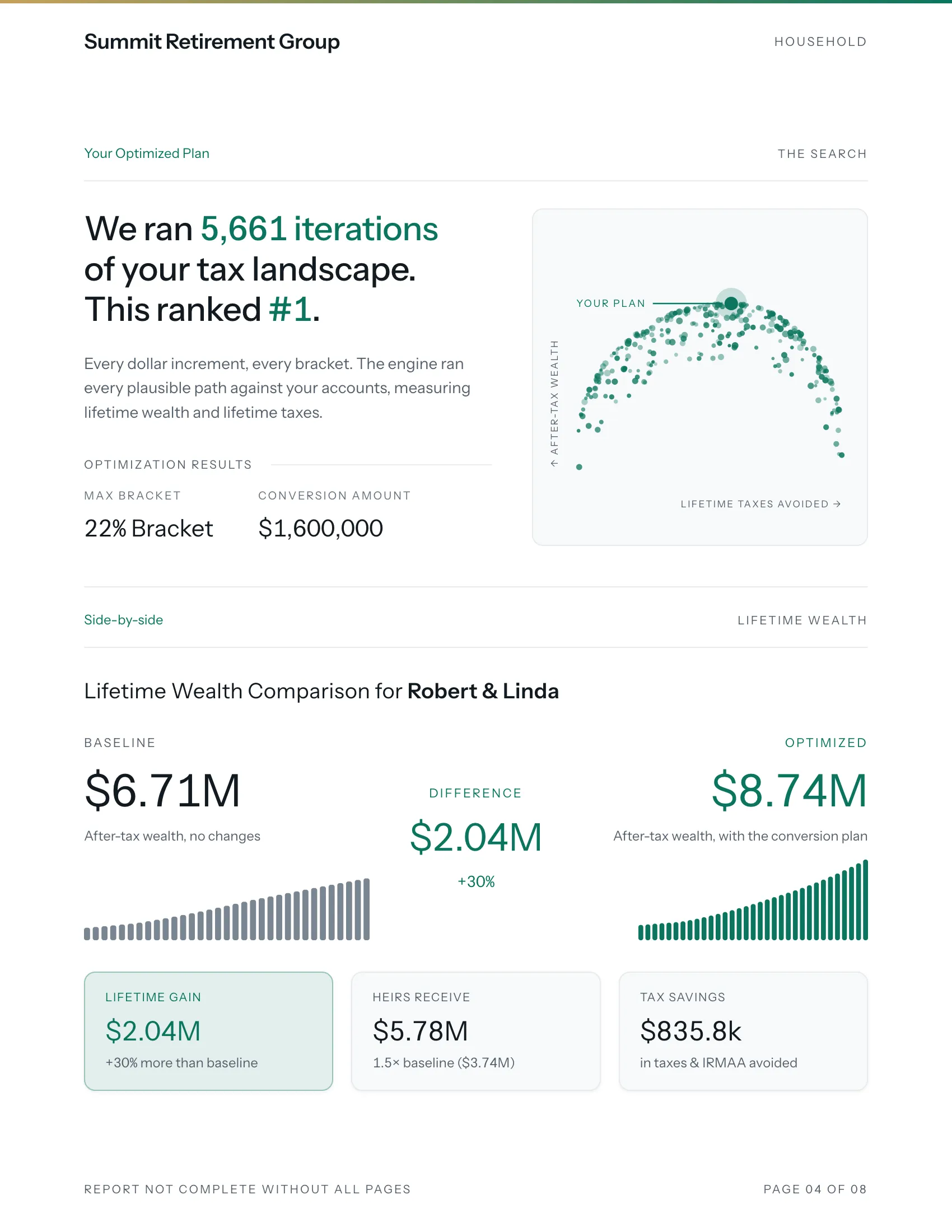
The search
Thousands of paths, one best plan
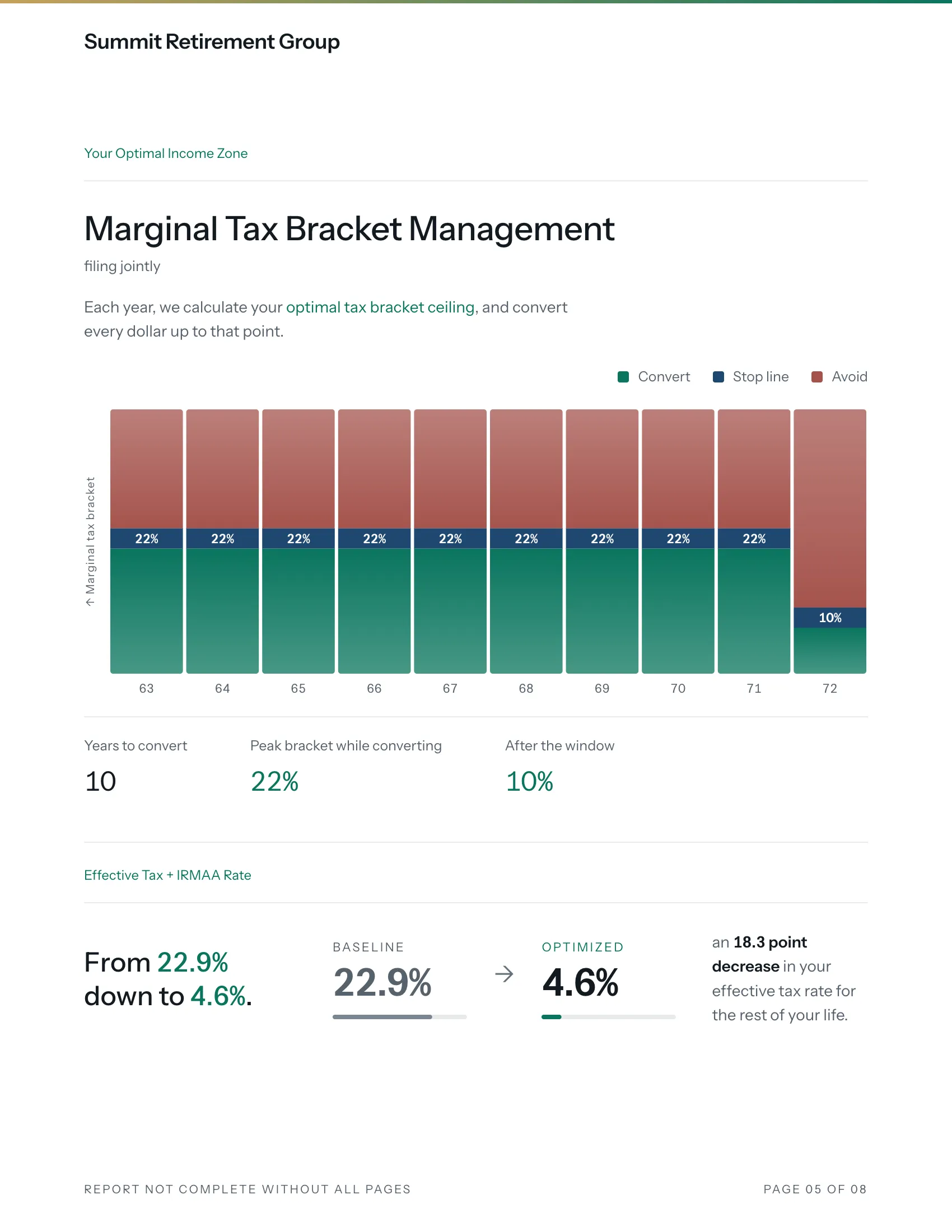
Income zone
How far to convert each year
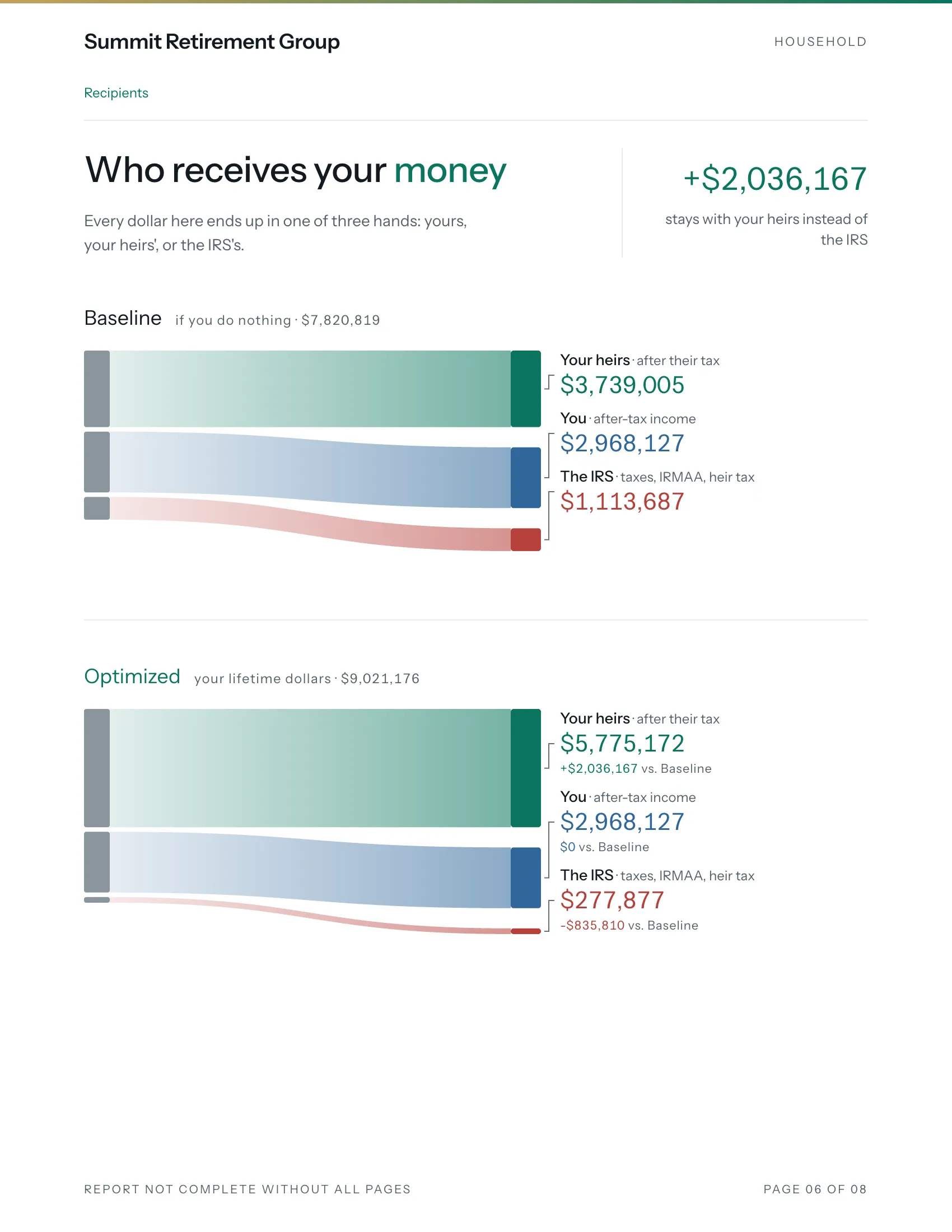
Who receives it
Heirs, the client, the IRS
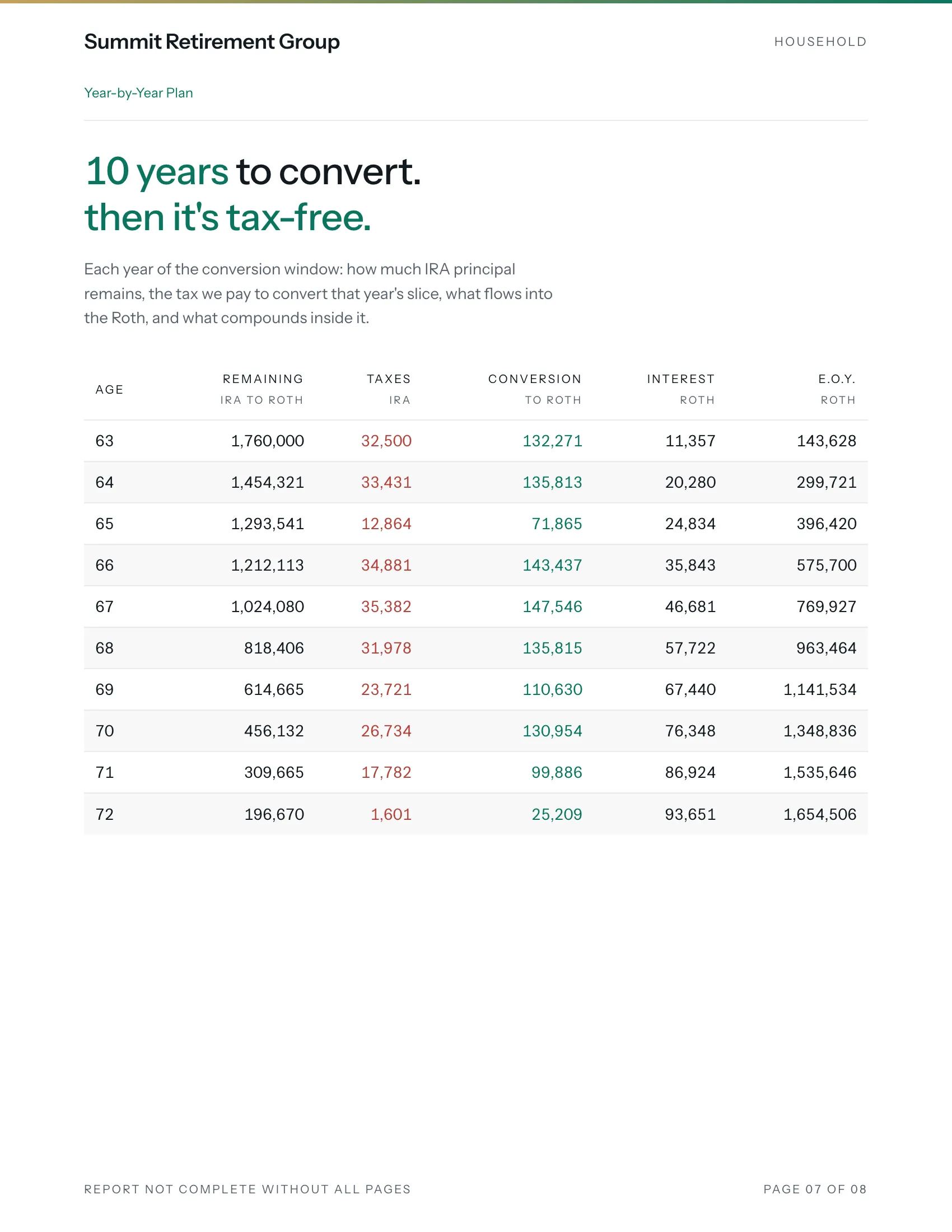
Year by year
Every year of the conversion
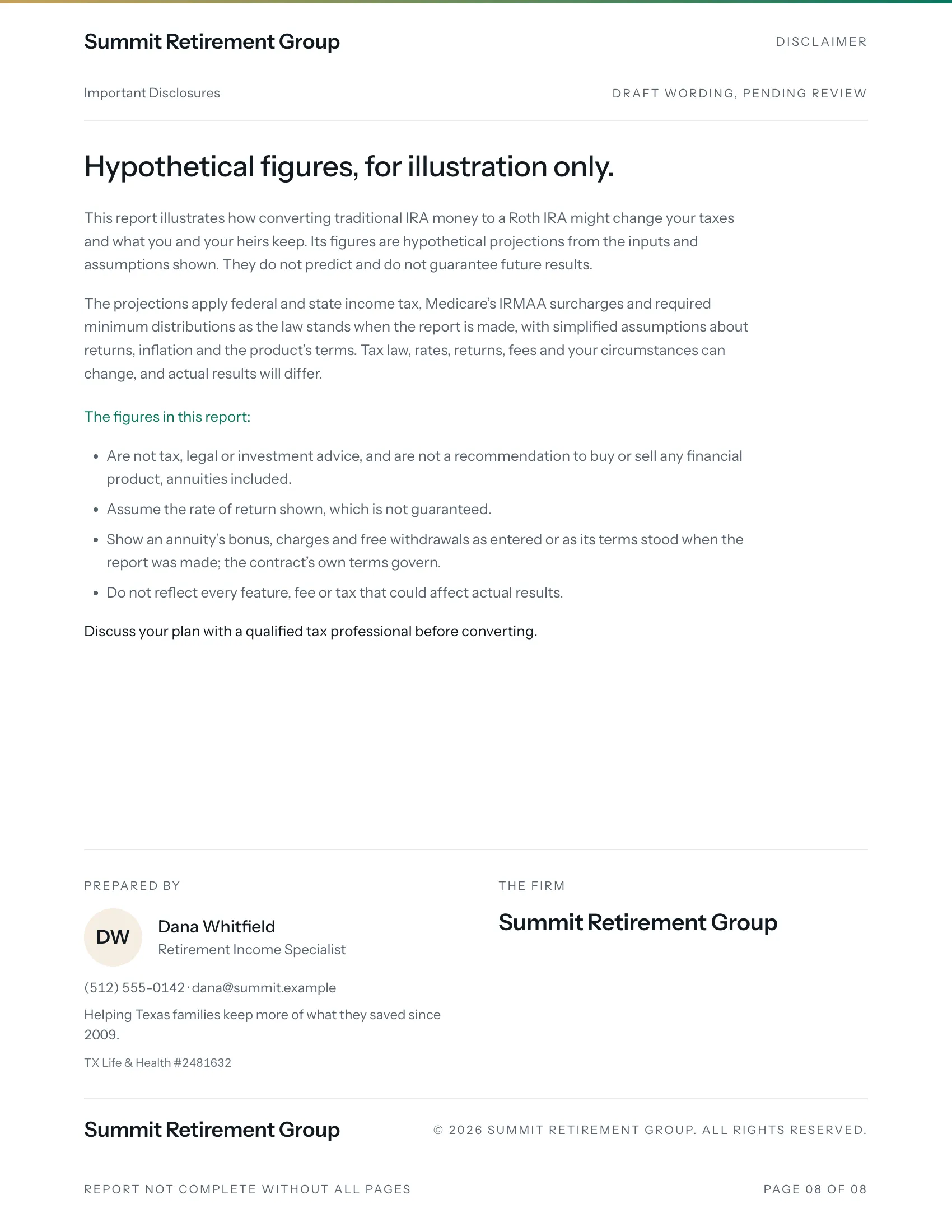
Disclosures
Your compliance block and profile
From a household to a finished proposal
Add the household
Names, ages and state, the accounts, and the product: a carrier's FIA, an AUM account, or your own terms.
Generate
The engine tries conversion amounts and brackets year by year, through taxes, IRMAA and Social Security, and keeps the plan that leaves the most behind.
Present
Open the report with the client, on a laptop, a tablet or a phone. Send the PDF when you're done.
Figures you can put your name to
- Under a second
- Every plan, search included, whatever you enter. Change an input in the meeting and the answer is there before the client finishes the question.
- Within 1% of the best plan
- The plan Rothify shows is checked against the best any of our methods can find, the slow ones included, across every case in our tests.
- The same every time
- The same inputs give the same plan. Each proposal keeps the run it showed, so the PDF you send matches what you presented.
Two looks, under your name
Pick the template that suits your clients, in dark or light. Your logo heads every page, your brand colour runs through it, and the last page carries your firm's details, your compliance block and your profile.
For one agent or a whole agency
Personal
Your own book of clients, at a flat price. It's yours wherever you work, and nobody else sees it.
Organization
Your agency's clients, priced per seat. Invite agents, group them into teams, give managers their teams' clients, and keep the firm's theme and products in one place.
Build your next proposal in Rothify.
Create an account, and our team approves it before your first sign-in.